Medieval Outpost | UE5

Main Shot

Detail Shot - Workshop Table 01

Detail Shot - Workshop Table 02

Top Shot

Smithstation

Smithstation Closeup

Detail Shot - Food Table

Detail Shot - Treasure Nook
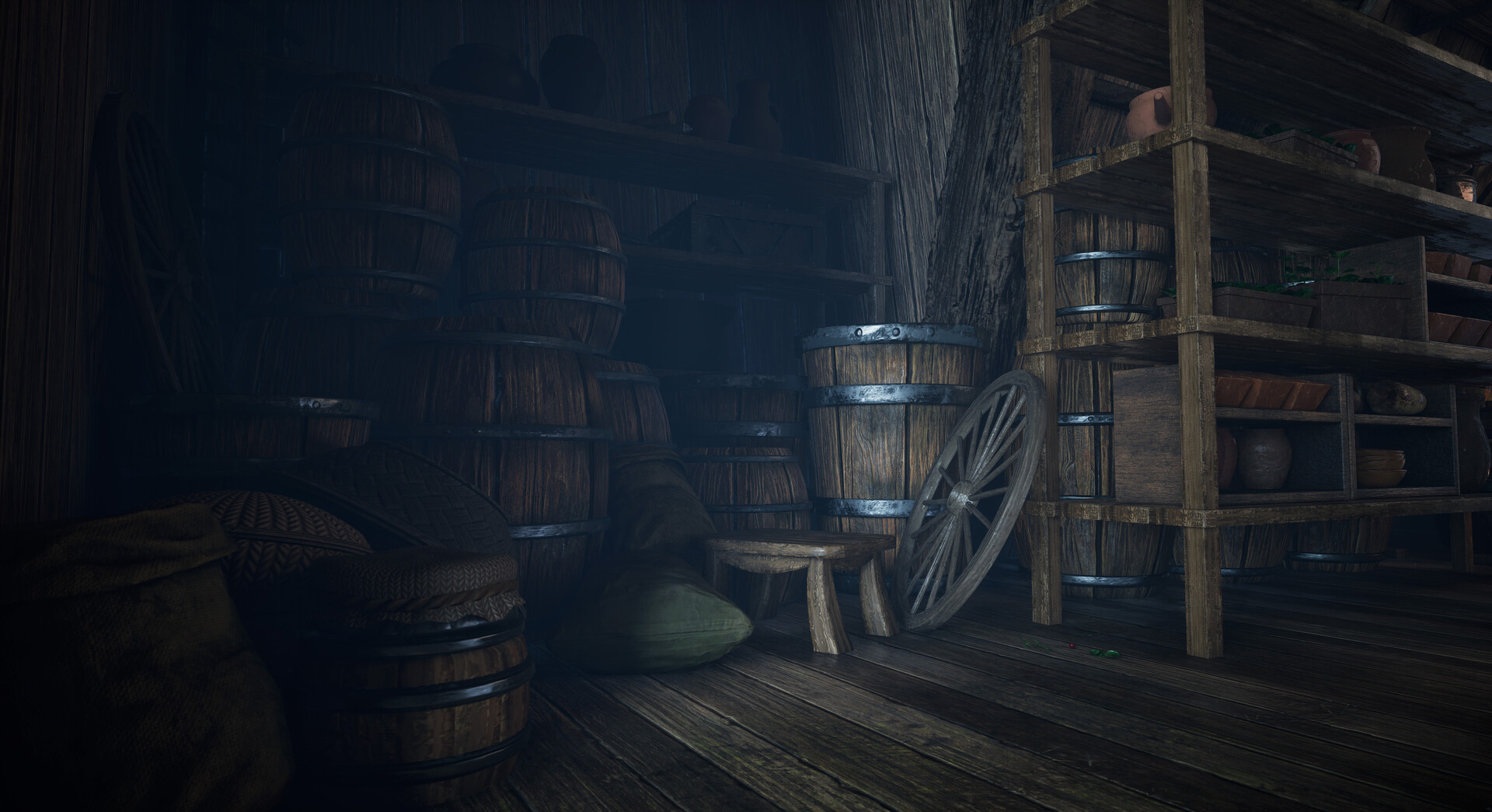
Detail - Back
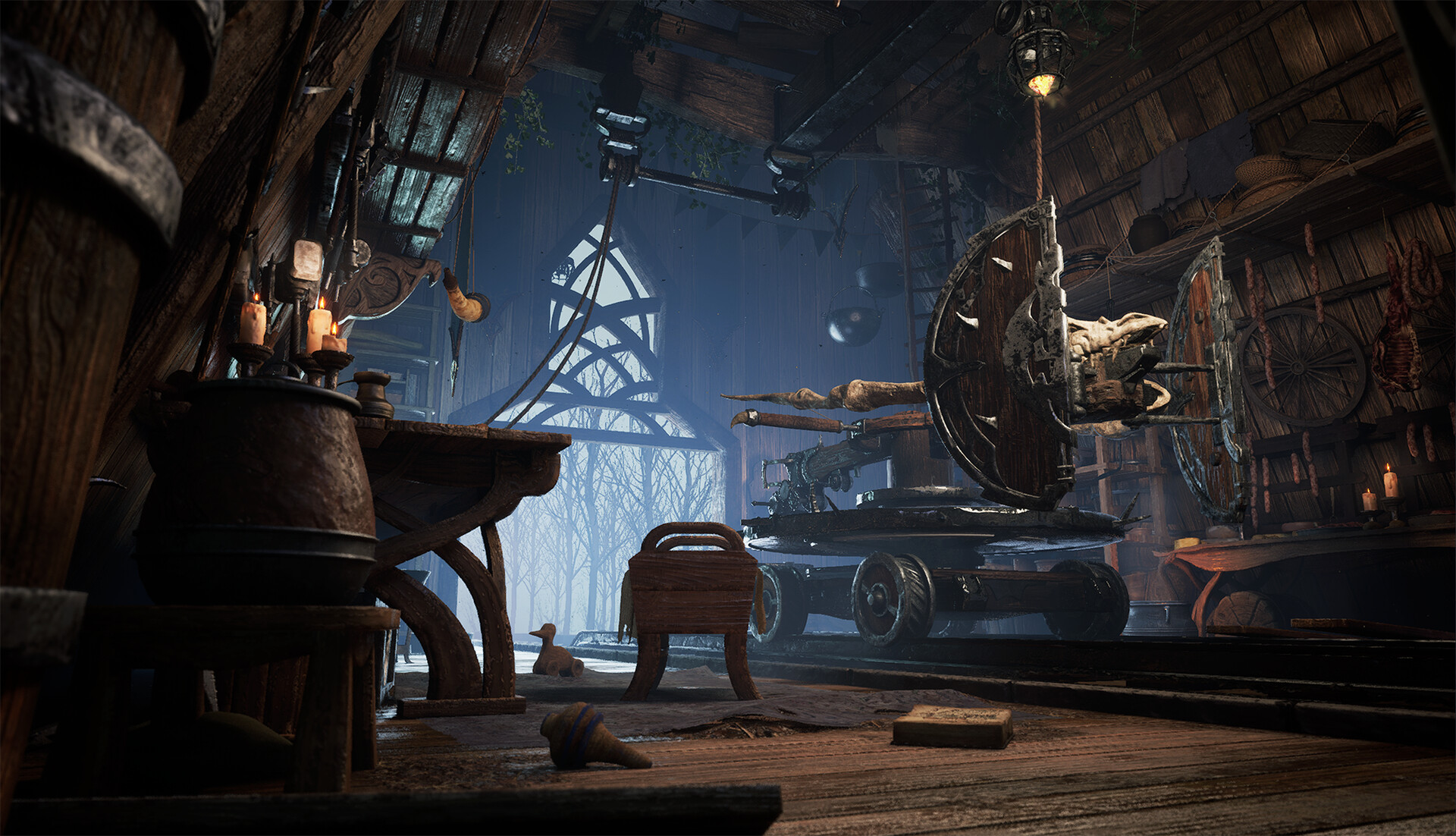


Clean & Dirtier Wood Panels, 2048x2048

Gravel & Dirt, 2048x2048

Hammered Metal & Cloth, 1024x1024

Clean & Rusted Metal, 1024x1024

Substance Designer Material Graphs

Trimsheet, 2048x2048

I sculpted my Trimsheet in Zbrush, both to practice organic sculpting and because I felt like I had more control over wood wear & gashes. Baked & textured in Substance Painter.

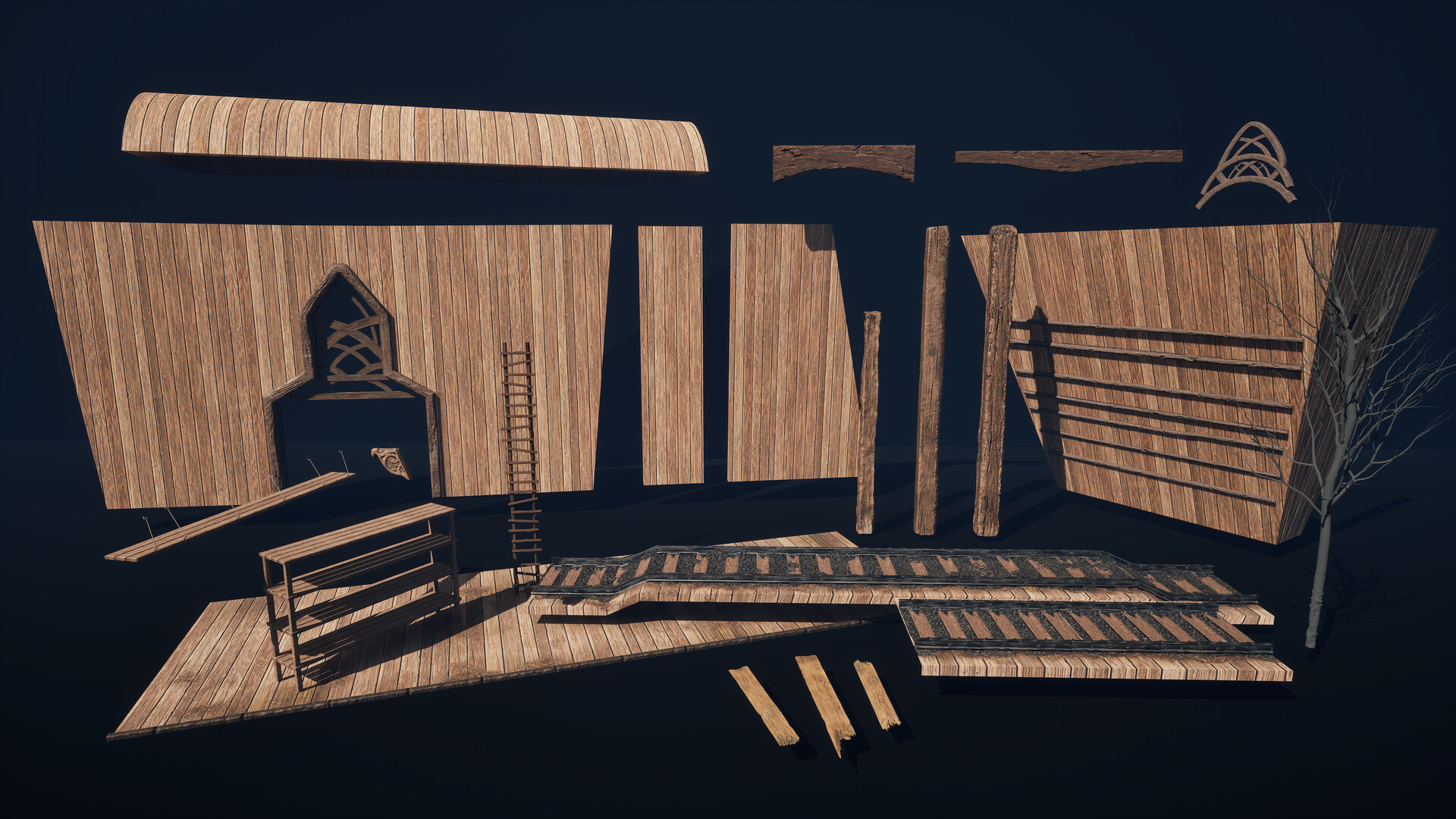
Modular Kit

Props - Most of these were textured via Trimsheeting, RGB masking, tinting, and some decals. A few of these props, such as the food, bone, coal, shared one uniquely baked prop sheet.

Mesh-dissolving Blueprint. I chose to make this shader in order to not break modularity. Instead of modeling a hole in the floor mesh, this shader provided easy "open" floor effects. I cut wood splinters out from the tiler and reused around the opening.

Mesh Dissolver Blueprint & Parameter Collector.

Mesh Dissolver Material (Applied to scene asset(s) receiving Dissolver effect)
Deferred Decal - For added manuscripts to books, scraps on floor and tables, bone dust, leaves. Decals with normals were used to create clay pot carvings too.
Mesh Decals - Adjustable via offsetting and Threshold Power & Contrast parameters for intensity.
Same Deferred Decal on Pots, showing wear amount and opacity fade

Decal Sheet - Several of these were taken from Textures.com, such as the cilantro, oats, branches, leaves, moss. Edge wear I sculpted in ZBrush, and Manuscripts I found online.

Decal Shader
Parallax Occlusion (POM) - Used on gravel, dirt and wood plank blends in my scene.

POM Shader - Added to individual material layers that can use more depth, but without using displacement - such as on the Gravel and Wood.
Vertex Painting + Threshold Lip Mask for spread, dispersion, and border opacity falloff control.
Threshold Lip Mask - for spread, dispersion, and border opacity falloff control.
Distance Field Blend
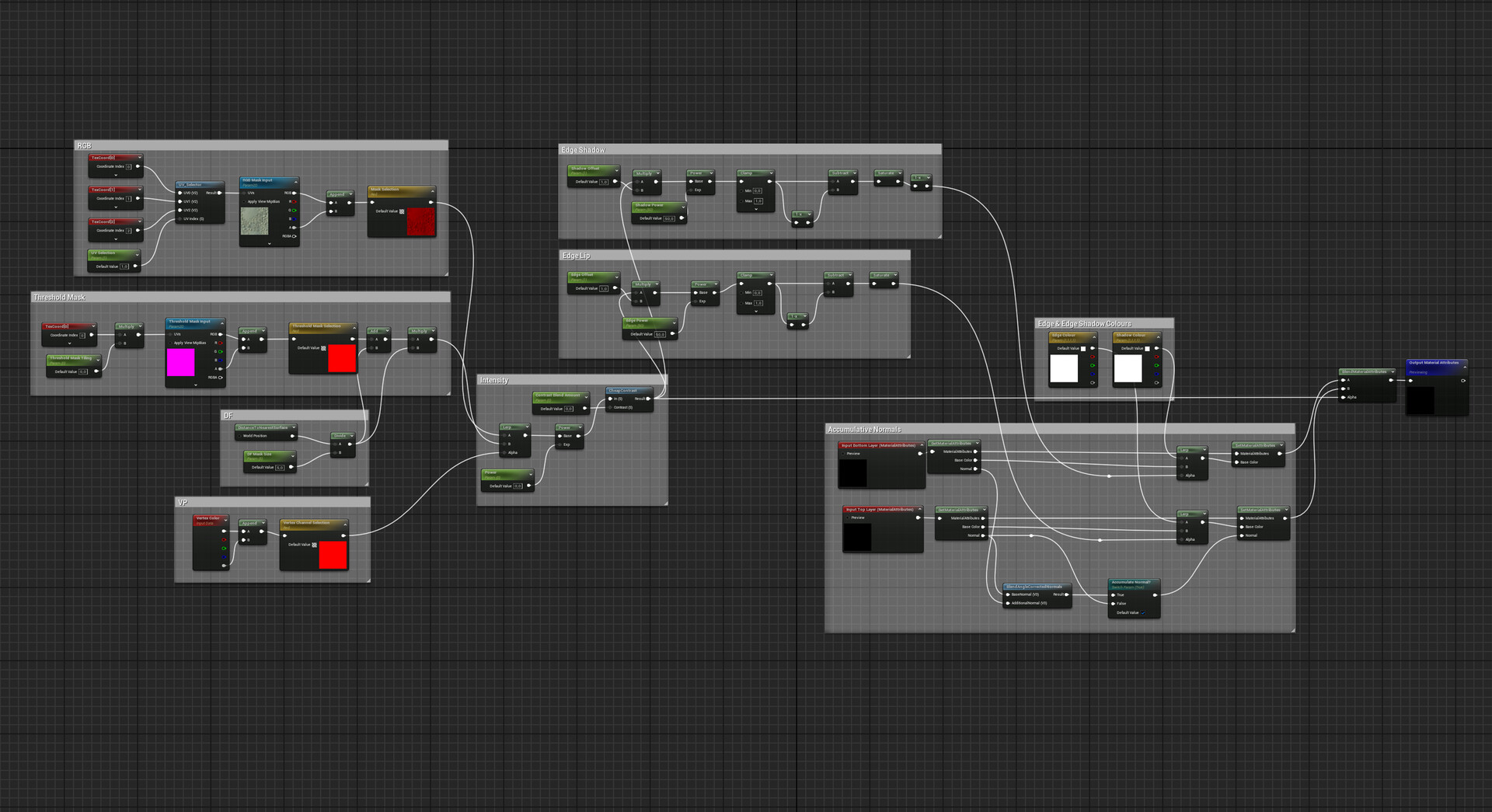
Vertex Painting, Height Blend, Distance Fields, Threshold Masking, Accumulative NRM, Edge Wear Masking, RGB all in one Material Blend Layer for easy reusability.
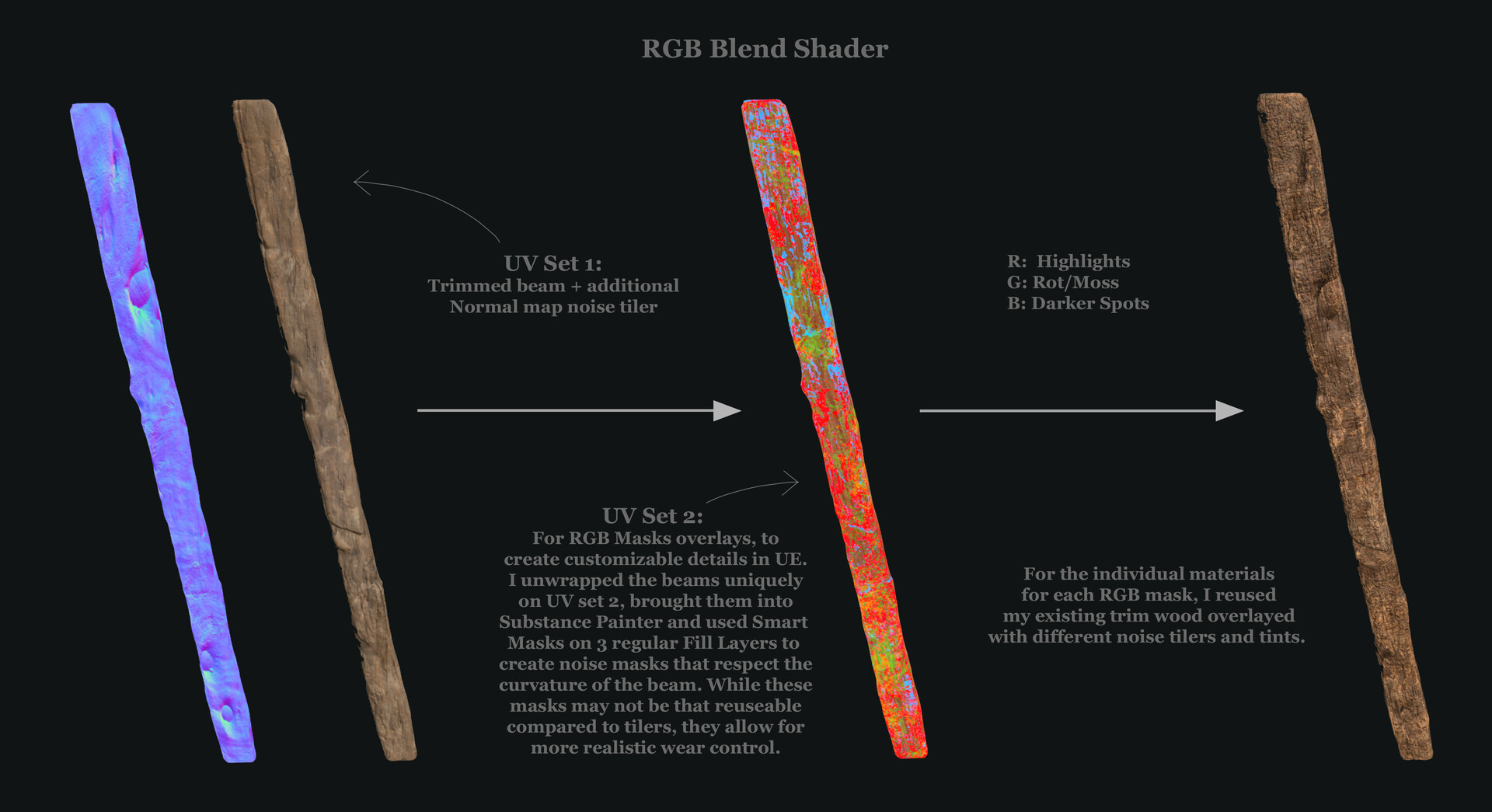
RGB Mask Shader - Used across all my largest wooden beams. I chose to use uniquely baked RGB masks over tiler noise masks, because it allowed for better controlled wear. Threshold power and spread parameters were also added to these masks in UE.
Puddles - Changing puddle spread via adjusting UV offset.

Puddle Shader

Functionality Animation

Ballista Albedo, Normal and RGB Channel-Packed Maps

Ballista Lowpoly & UV Unwraps

Ballista ZBrush Highpoly Sculpt

Ballista ZBrush Highpoly Sculpt
Maya Rig Demo


Foliage Trim Sculpted in ZBrush, textured in Substance Painter

Foliage Maps

Speedtree Tree generation. I kept this tree relatively simple, since it's meant to just create silhouettes in the outdoor fog. No leaves as to stay true to the concept.


Texel Density

Texel Density - more scene shots

Grayscale Values

Detail Lighting

Scene Maps
Scene Progress


Original Concept by Chang-Wei-Chen! Concept link is in description.

Approach Breakdown & References

Based off the wonderful concept by Chang-Wei Chen:
https://www.artstation.com/willischen
This was a project made over the span of 4 months during my first senior semester. I looked to challenge myself not only through scale, but also through complex shader usage, organic material-making, working with blueprints, and learning to rig + animate for the first time.
-
All assets were made in 3DsMax, and most were textured via tileables and trimsheets, besides several smaller props at the work/food stations which shared one UV sheet. The tileables were made in Substance Designer, while the trimsheet I opted to sculpt for breakage control and to learn tiler-making in ZBrush. Fabrics were made in Marvelous Designer and retopo'd in 3DsMax.
-
The hero ballista was a real fun one to work on - I deviated from the concept and added armatures for the shield and trigger gears to better showcase its functionality. The asset was uniquely sculpted, baked and textured, then rigged and animated in Maya.
-
A big thank you particularly to Alex Gonzalez, Javier Perez, Patrick Ward, and Liza Zhukova. I couldn't have done it without the motivation and feedback from my mentours and peers, as well as a big thanks to the awesome artists from Sierra Division and Beyond Extent, who stared at my screenshares for countless hours.
https://www.artstation.com/alexander1gonzalez1
https://www.artstation.com/meshmodeler
https://www.artstation.com/elizata
https://www.artstation.com/pward3d
-
Some scraps and decals were taken from Megascans to add a bit more life into some of my detail shots.
Dust particles, flames and water drip VFX are from Unreal Marketplace/Fab.
Music in Cinematic from Envato Elements.